Source code is the instructions we write to tell a computer what an app should do.
As our games grow, so does the code. It is common to try something, find it does not work, and want to go back to an earlier version.
Accidents happen, too. If someone spills a sticky drink on your laptop, it is likely toast. Wouldn’t it be great to have a backup of all the code you wrote for this course?
That is what we use source control for: versions of our code, and backups.
The words
The software we use for source control is called git.
Yeah, it’s kind of a weird name. 🤷🏼
A repository, or repo for short, is the place where the versions of your project are kept.
- Your local repository is on your laptop.
- Your remote repository, or just remote, is a copy kept “in the cloud”, on GitHub’s servers somewhere else in the world.
The actions have names too:
| Word | What it means |
|---|---|
| template | A repository made to be copied. You use it to make your own new repository on GitHub |
| clone | Copy a repository from GitHub down to your laptop |
| commit | Save a version of your work in your local repository |
| push | Send your commits to your remote on GitHub |
| pull | Get commits from your remote down to your laptop |
Here’s a little illustration of how this all works:
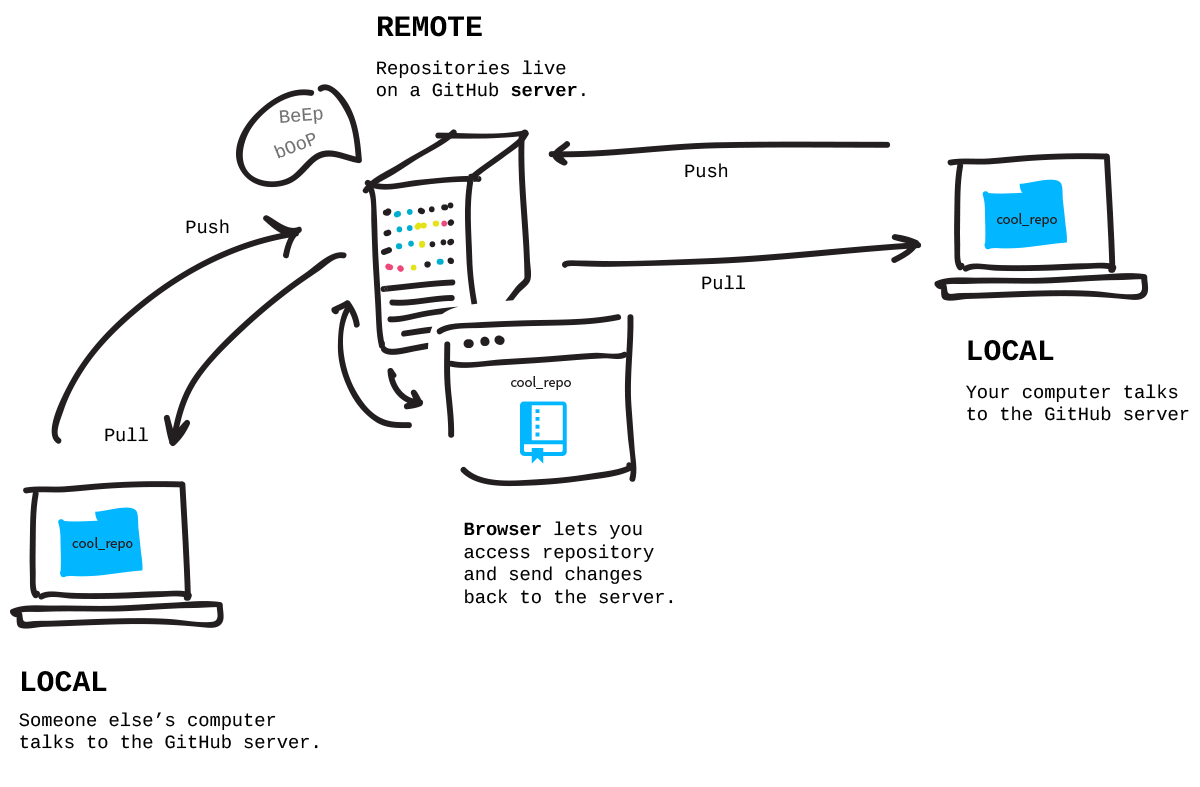
Image credit: Git-it
Teams use source control to work on the same project at once. This year you will use it on your own: copy a game, commit, push. And don’t worry: you will nearly always use it through Xcode’s menus and buttons, not by typing commands.
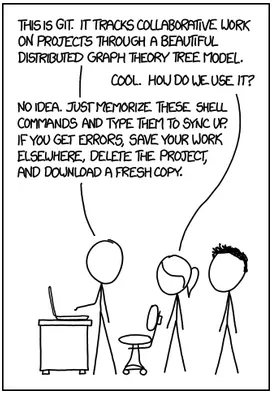
Image credit: xkcd
A history of your work
When you commit often, a history of your work builds up, one commit at a time, each with the message you wrote. That history is useful:
- You can see exactly what changed, and when.
- When a change breaks your game, you can find it and undo it. The page Going Back to an Earlier Version shows how, once your game is on GitHub.
- I can see how your game grew, not just how it ended.
Cloud sync is not source control
You might think iCloud Drive, Google Drive or Dropbox already back up your work. They copy files, but they are not source control:
- A sync service keeps only the latest copy. If you break your code, it faithfully syncs the broken version everywhere.
- It has no messages, so you cannot tell one version from another.
- git does not get along with sync services. If a git repository sits in a synced folder, the sync service can change git’s own files behind its back, and you can lose work.
So keep your projects in a folder that is not synced, and let git and GitHub do the backing up. Download Your First Game shows you how to make that folder.
Check your understanding
- You committed your work but did not push it. Your laptop is stolen that night. Is your work safe? Why or why not?
- Your game worked an hour ago, and now it will not run. Which is more useful to you here: a synced folder or a commit history? Why?
SOLUTION
- No. A commit is saved only in your local repository, on the laptop. Only a push sends it to GitHub.
- A commit history. You can see what changed since the last working version and undo it. A synced folder only has the latest, broken copy.