GitHub uses an extra layer of security to control who can change the projects it keeps.
Your username and password let you sign in to GitHub in a web browser.
Each app on your computer, like Xcode, needs its own separate secret that lets it reach GitHub for you. This secret is called a token.
Create your token
- Make sure you are signed in to GitHub in your web browser.
- Please follow this link to create your token. The link ticks the right boxes for you.
TIP
Really. It’s important that you actually click the link above to create your token.
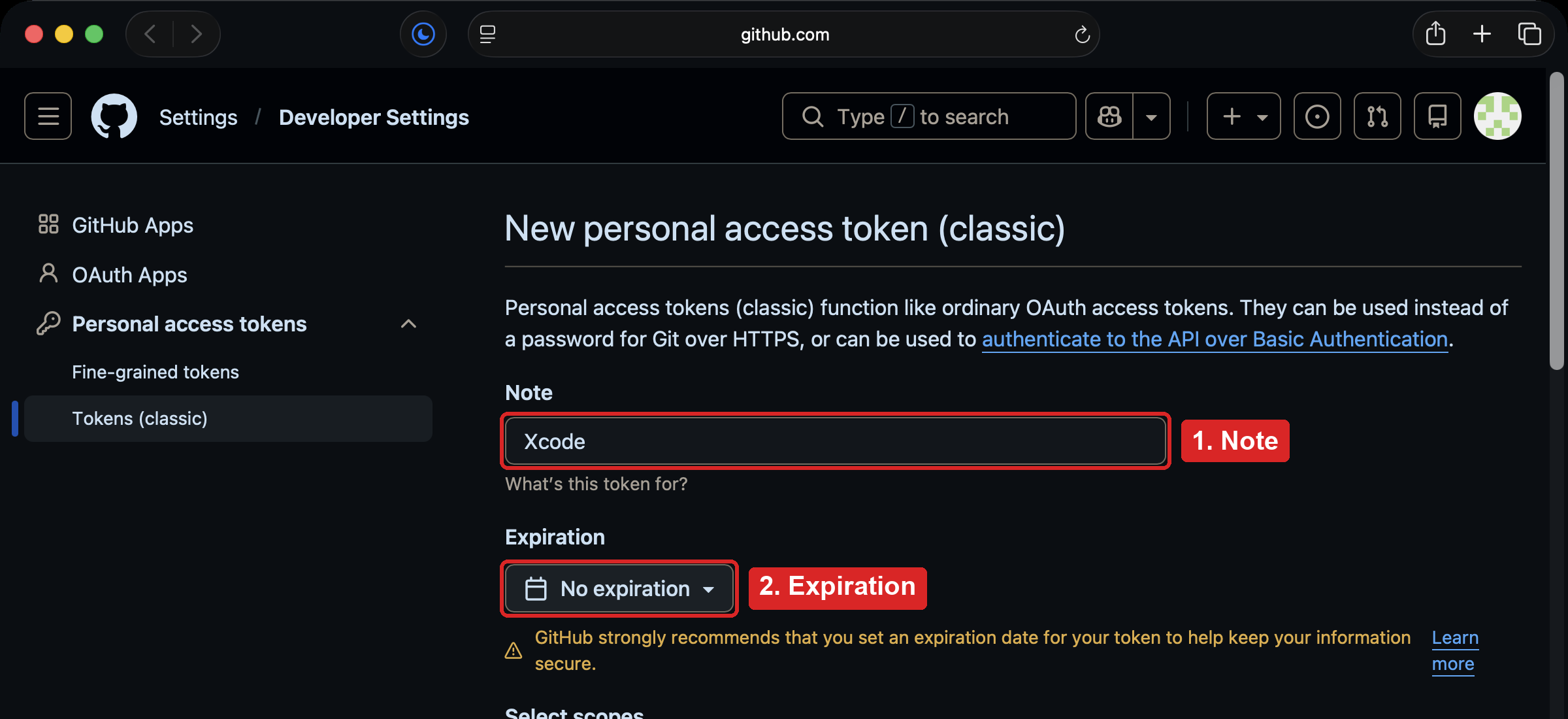
- In the Note box, type
Xcode. - For Expiration, choose No expiration, so the token keeps working all year. GitHub shows a yellow warning about this; that is expected.
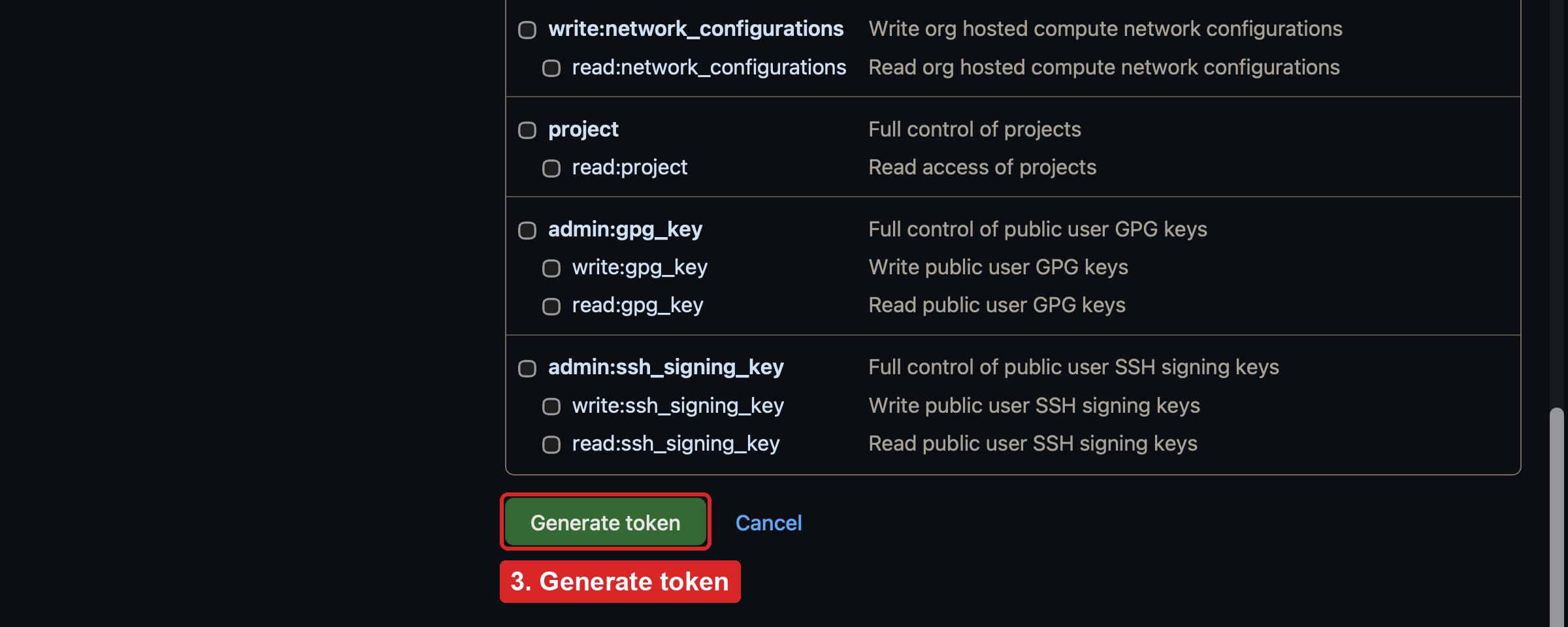
- Scroll to the bottom and press Generate token.
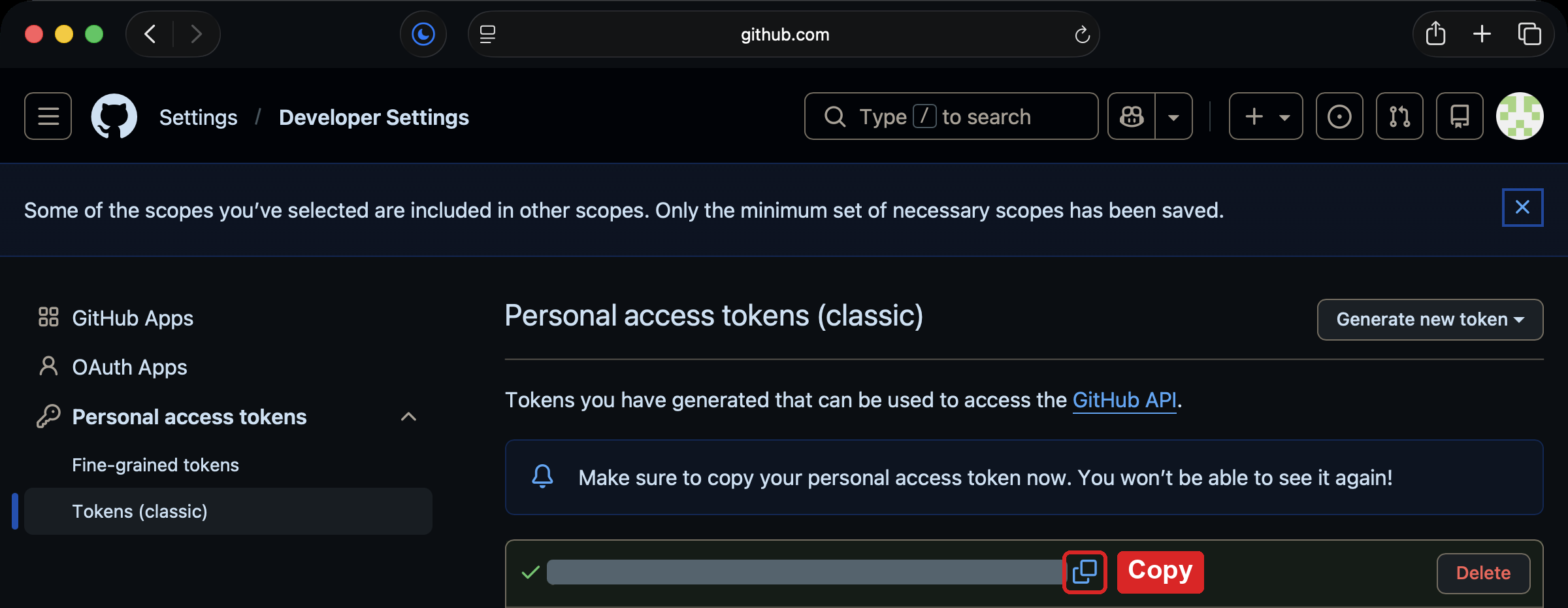
- Copy the token with the copy button beside it. The token is a long string of letters and numbers.
WARNING
GitHub shows your token only once. Keep this browser tab open until Xcode has it. Treat the token like a password: never share it or paste it anywhere else.
Give the token to Xcode
In short:
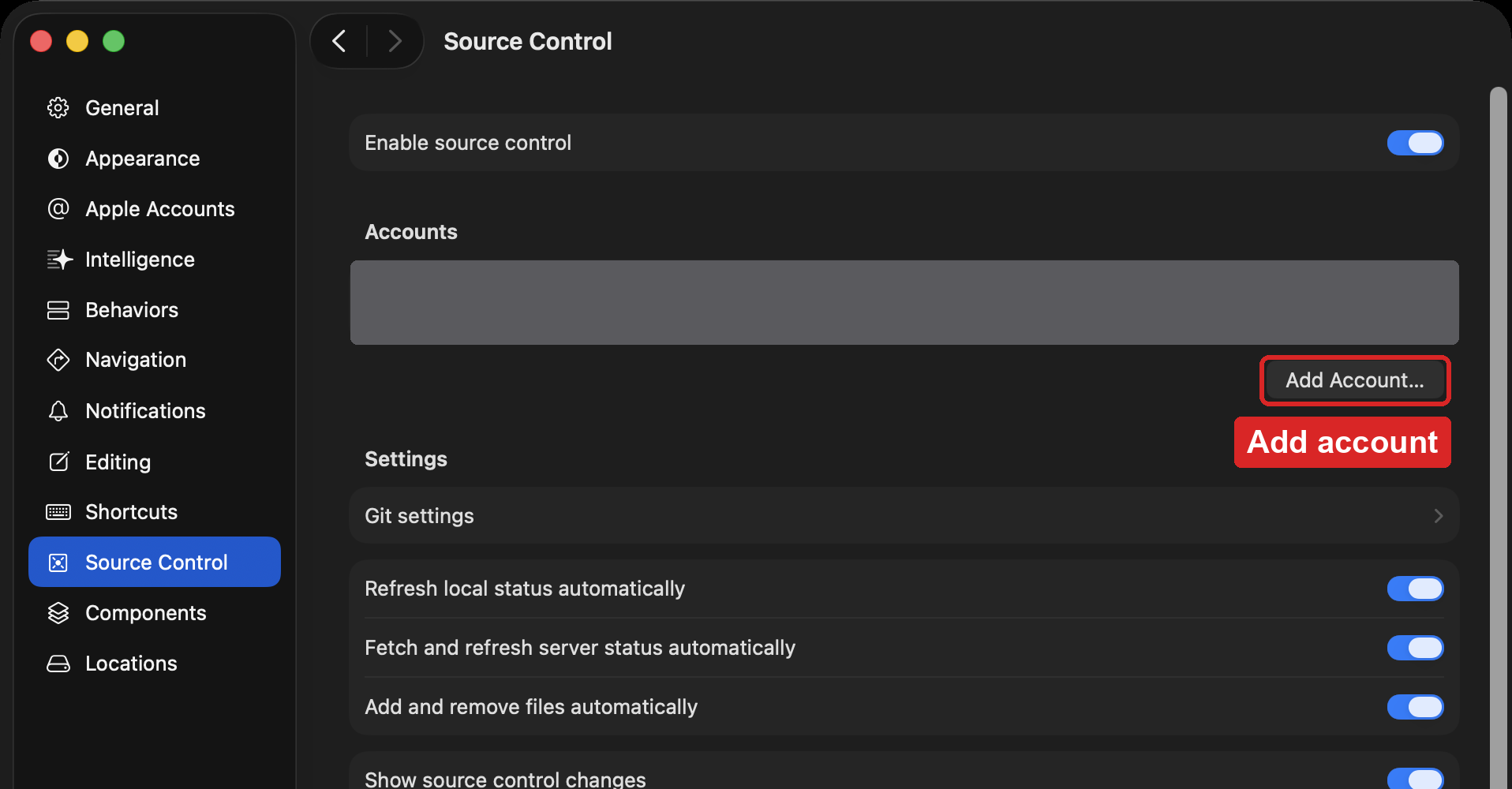
- In Xcode, choose Xcode > Settings… (or press Command-,).
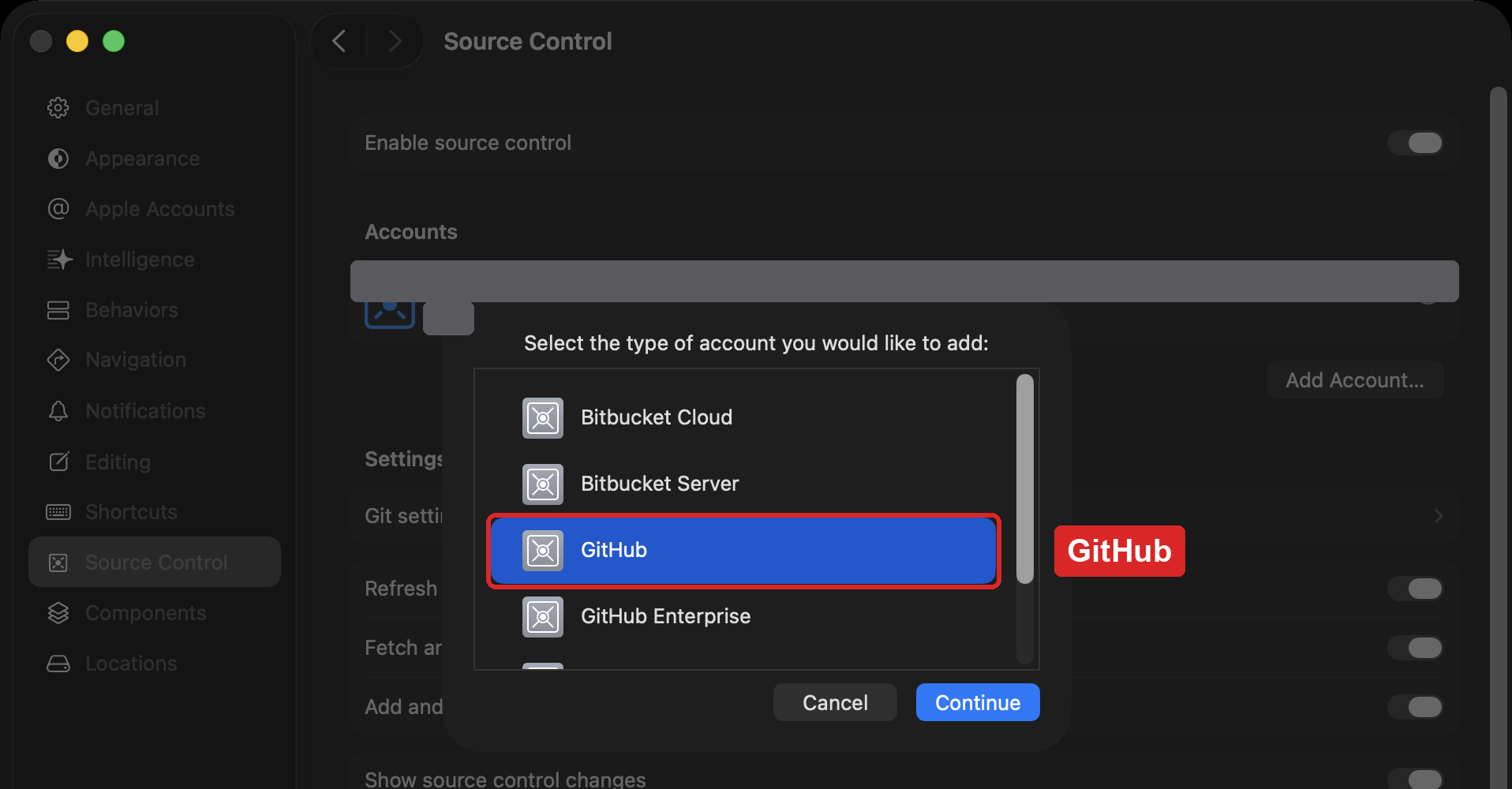
- Choose Source Control, and under Accounts, press Add Account….
- Choose GitHub, and press Continue.
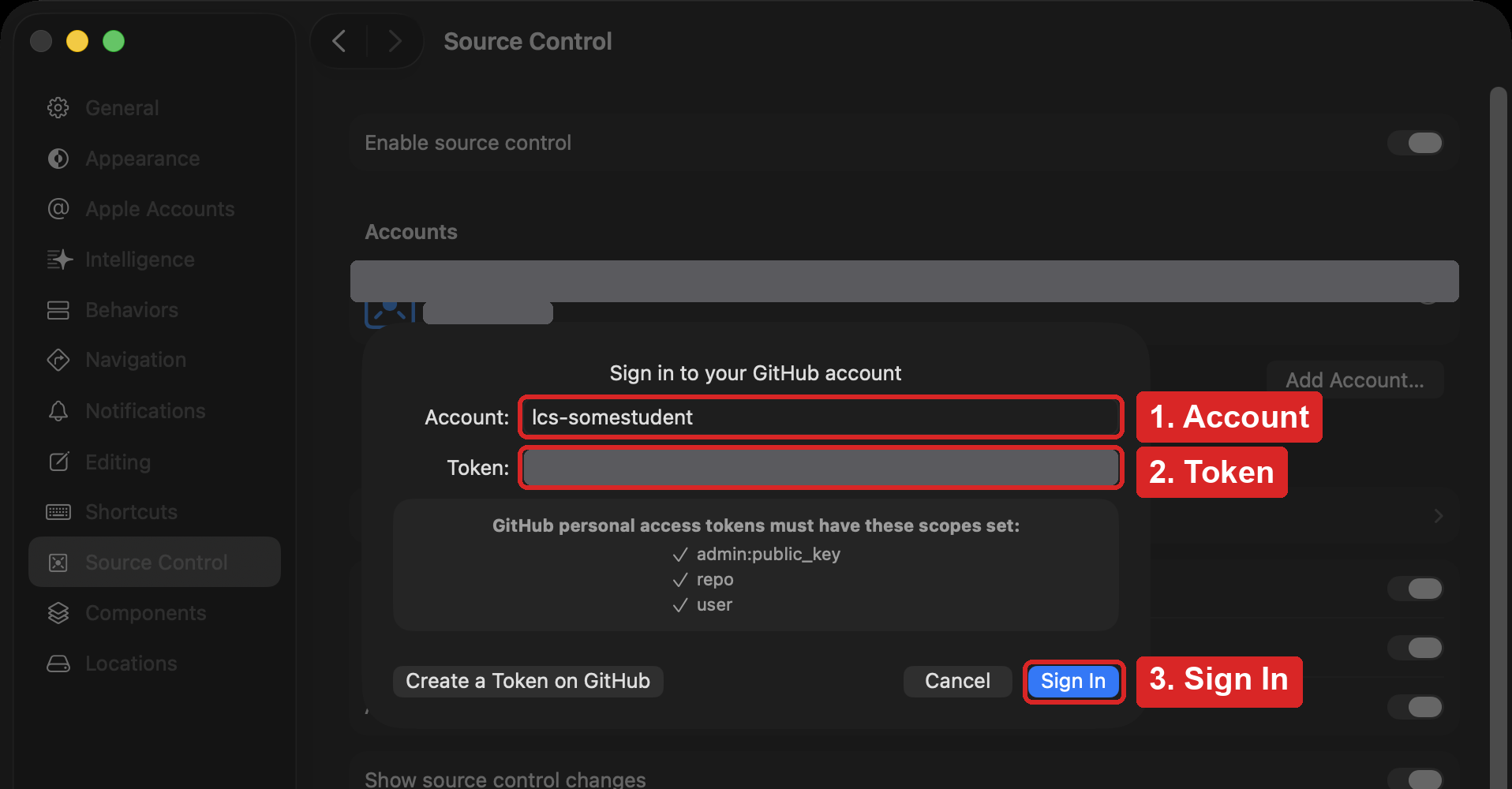
- In Account, type your GitHub username (the one that starts with
lcs-). In Token, paste your token. Press Sign In.
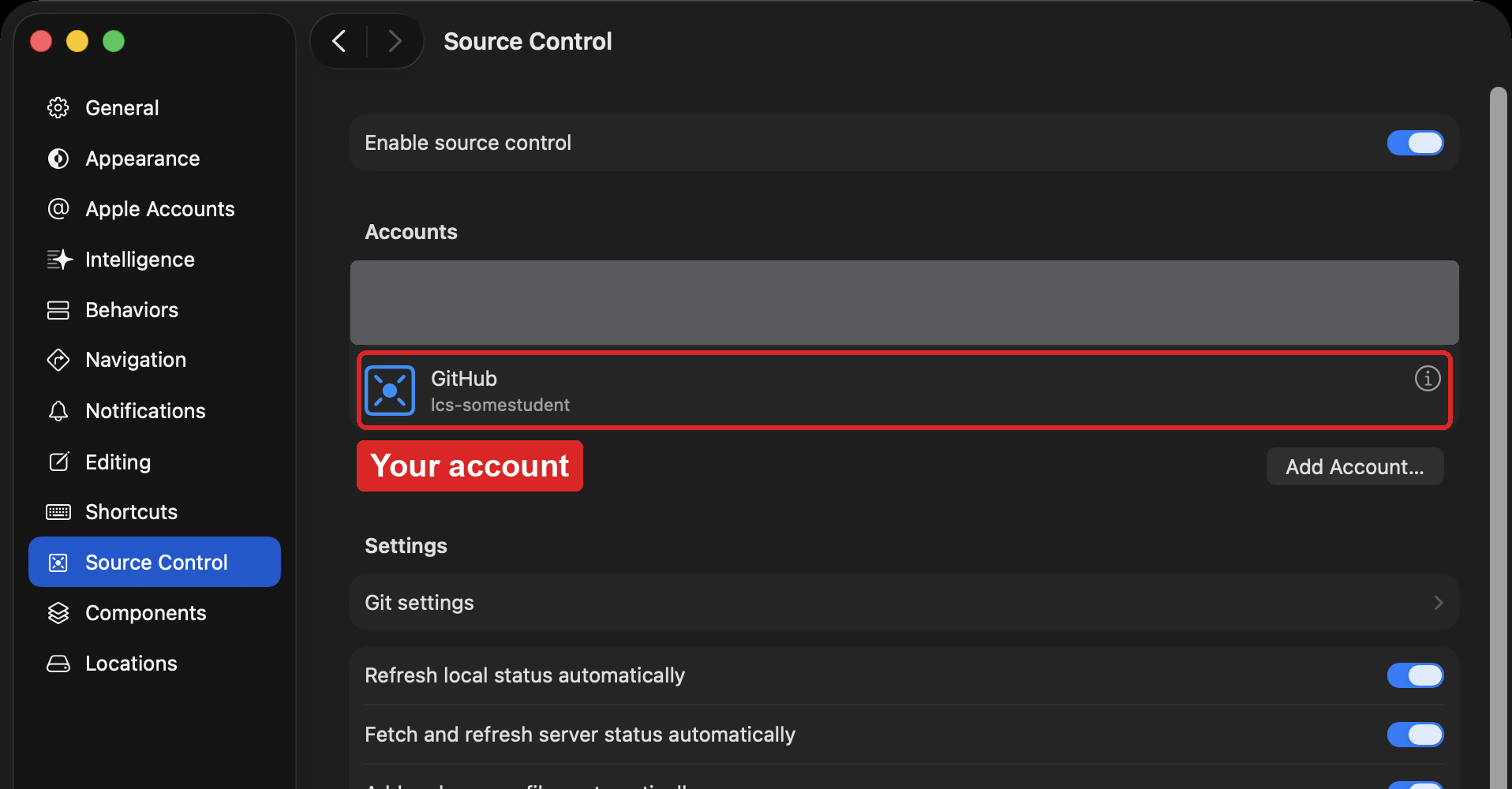
Your account now appears under Accounts:
Finish source control setup
When you save a version of your work (a commit), your name and email address are attached to it. Also, some files that Xcode makes should never be saved to GitHub.
Please open this link, and then follow the steps in this final video:
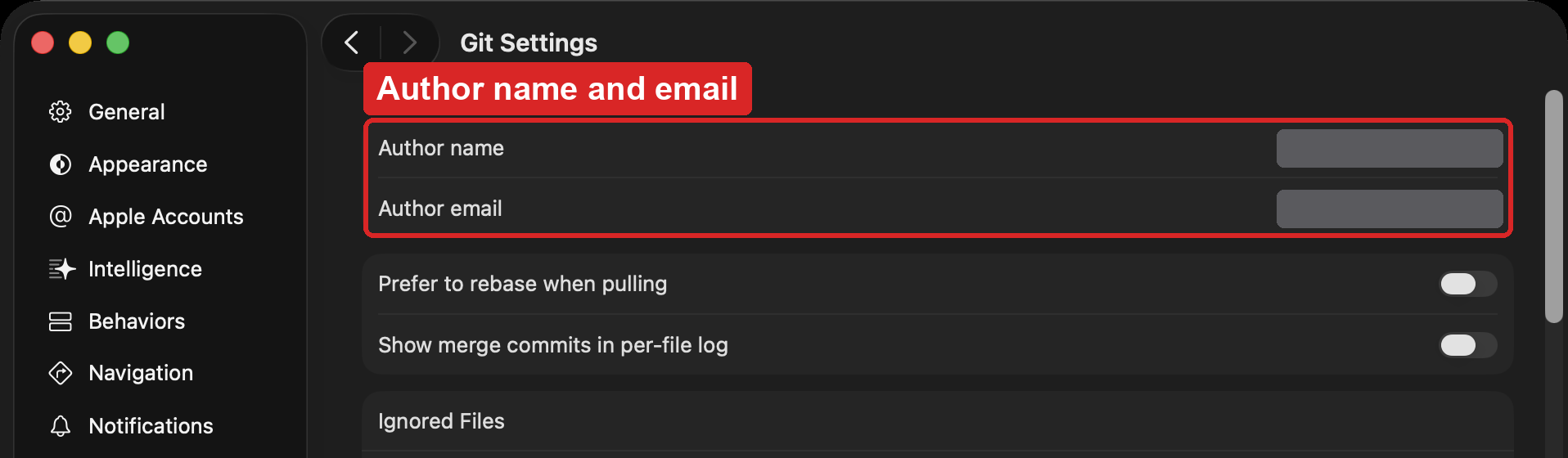
In Xcode 27, your name and email go in Xcode > Settings… > Source Control > Git settings, in Author name and Author email:
Test of success
- Under Xcode > Settings… > Source Control, your GitHub account is listed under Accounts with your
lcs-username. - Your name and LCS email address are filled in under Source Control > Git settings.
Next: Put Your Game on GitHub.