A commit saves a version of your work in a local repository, on your laptop. A push sends your commits to your remote repository on GitHub, so there is a backup. What is Source Control? explains the words.
Commit every time your game works and does something new. Push every time you commit.
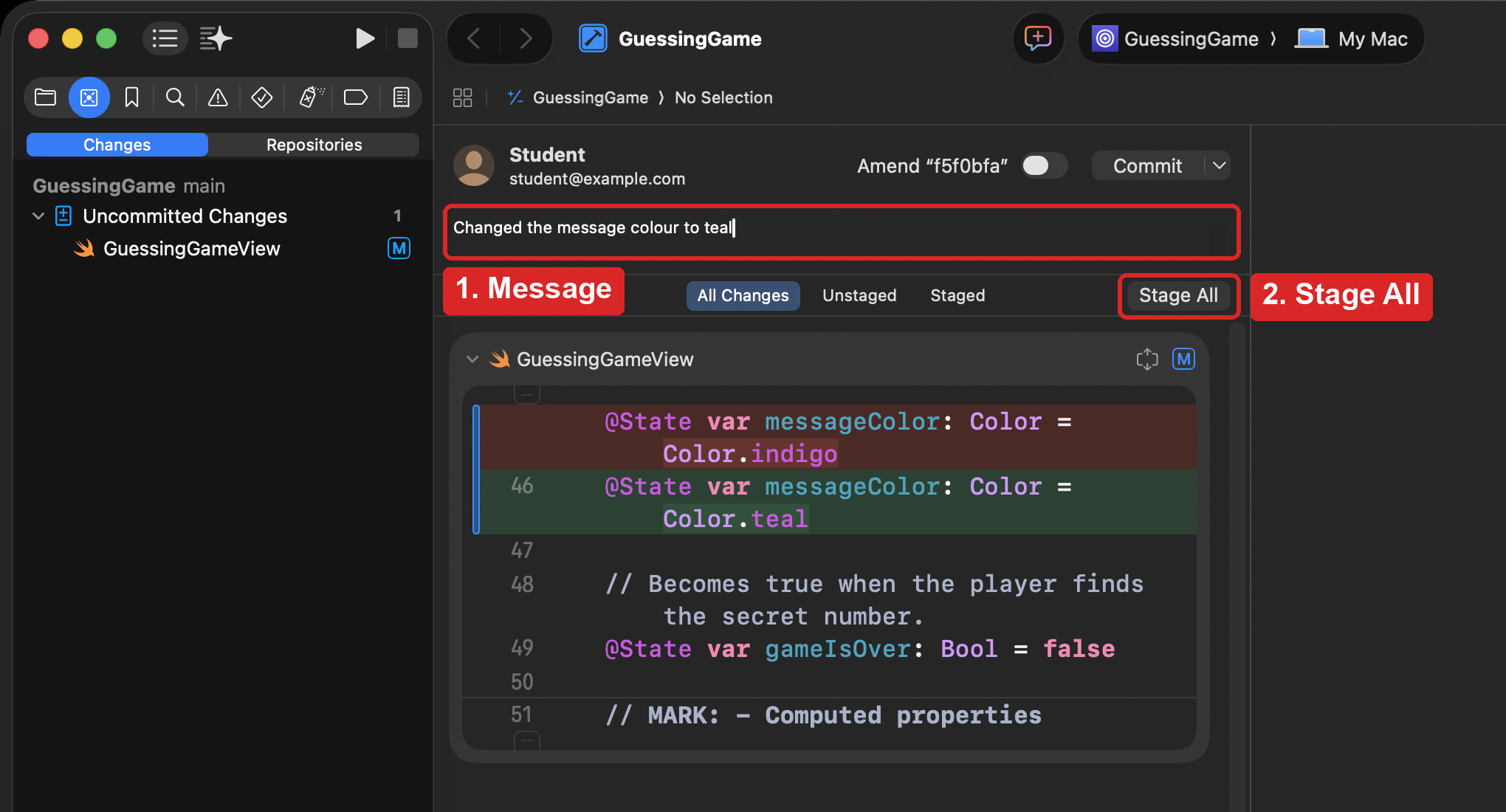
Write a message and stage your changes
- Press Option-Command-C, or choose Integrate > Commit….
- Type a short message that says what you changed, such as
Changed the message colour to teal. - Press Stage All. This tells Xcode to include every changed file in your commit.
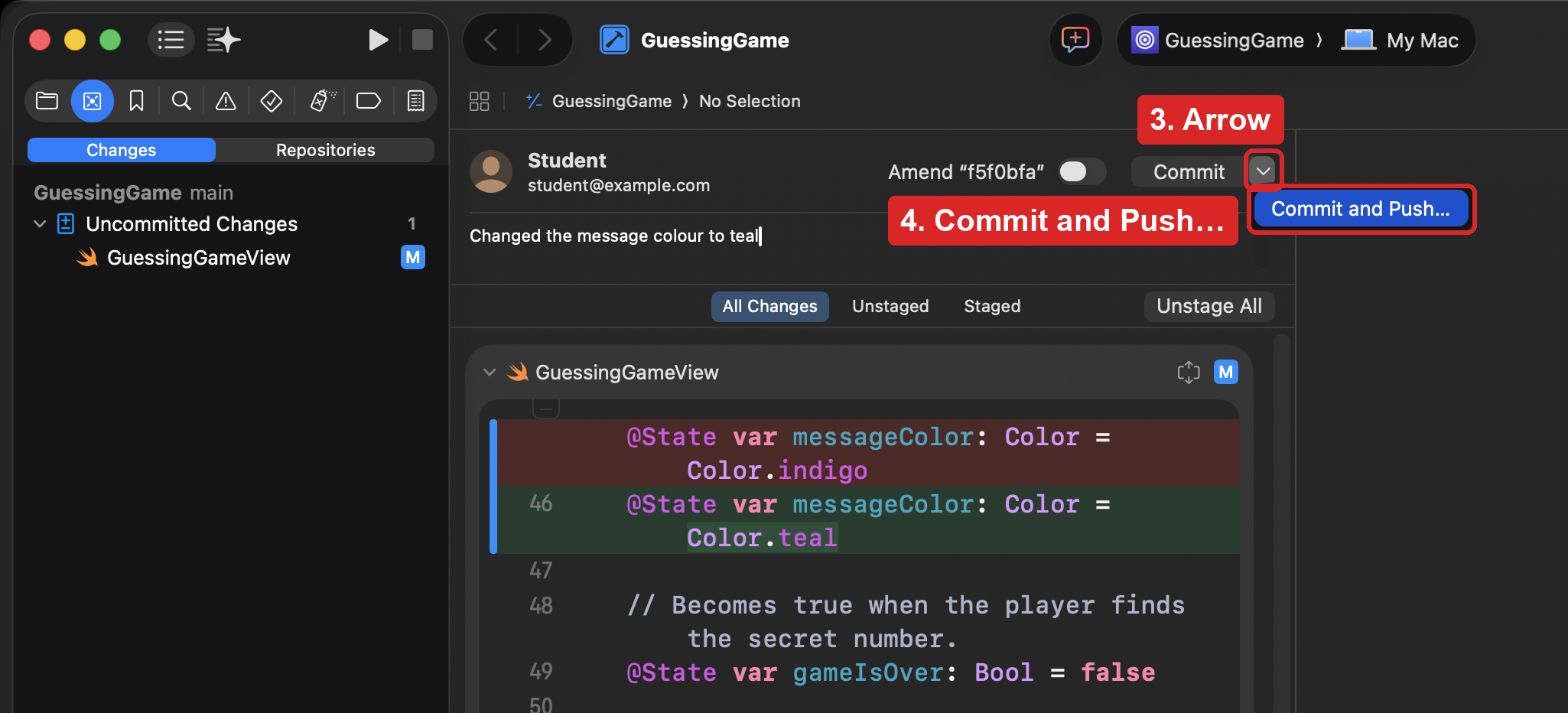
Commit and push
Press the small arrow beside the Commit button, and choose Commit and Push…:
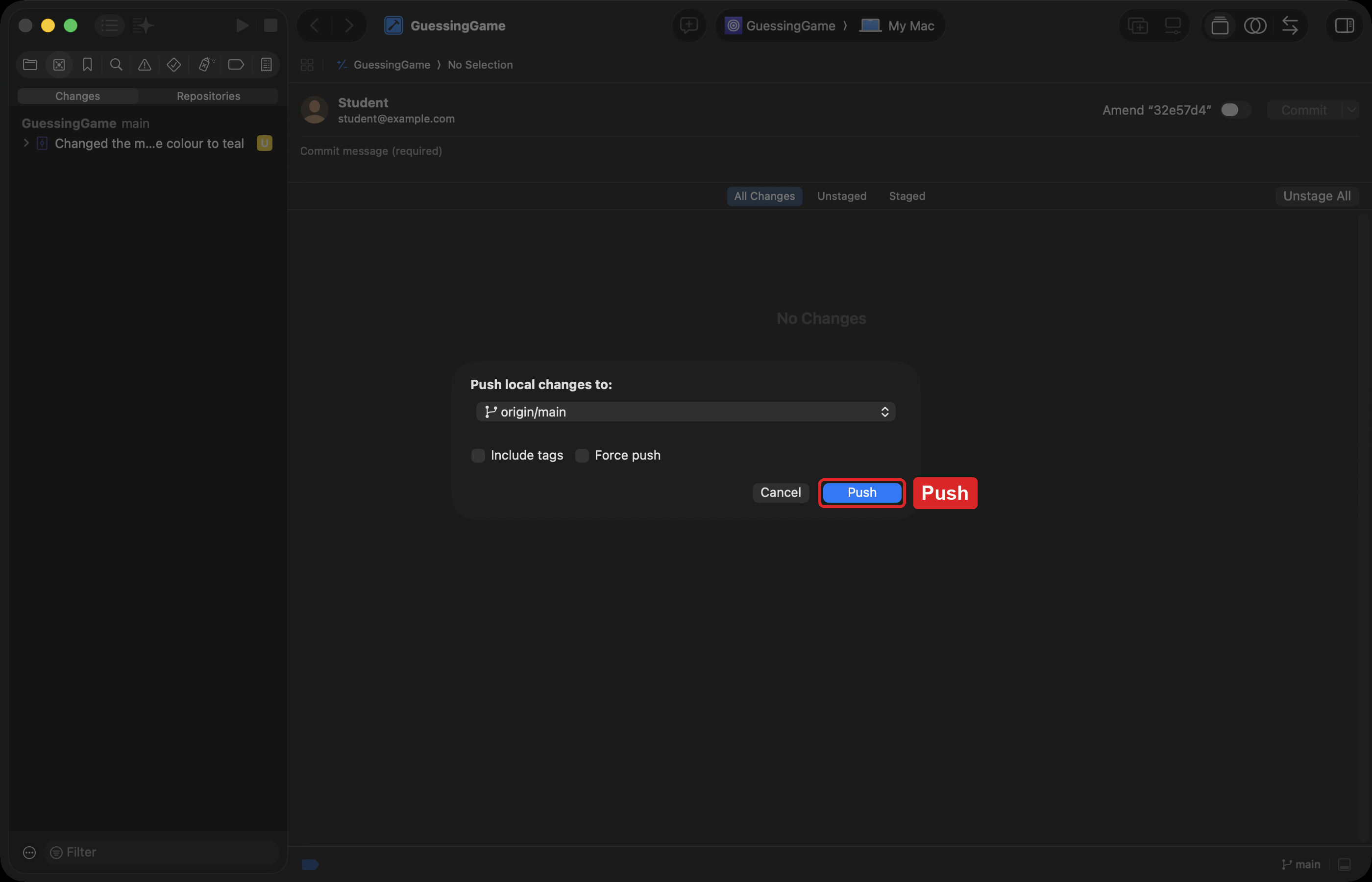
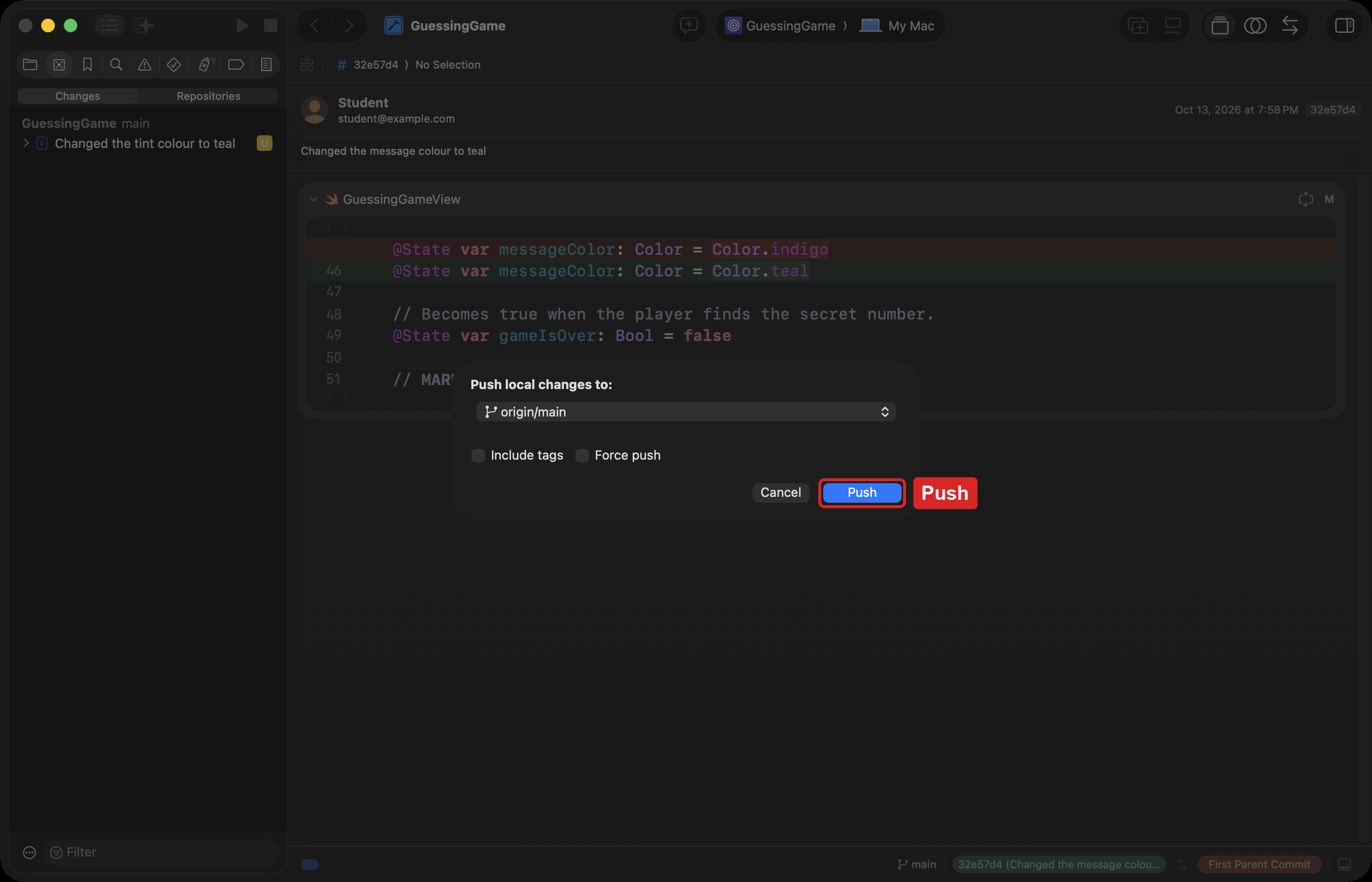
Then press Push to confirm:
If you forgot to push
If you commit without pushing, your commits stay on your laptop only. Choose Integrate > Push… from the menus:
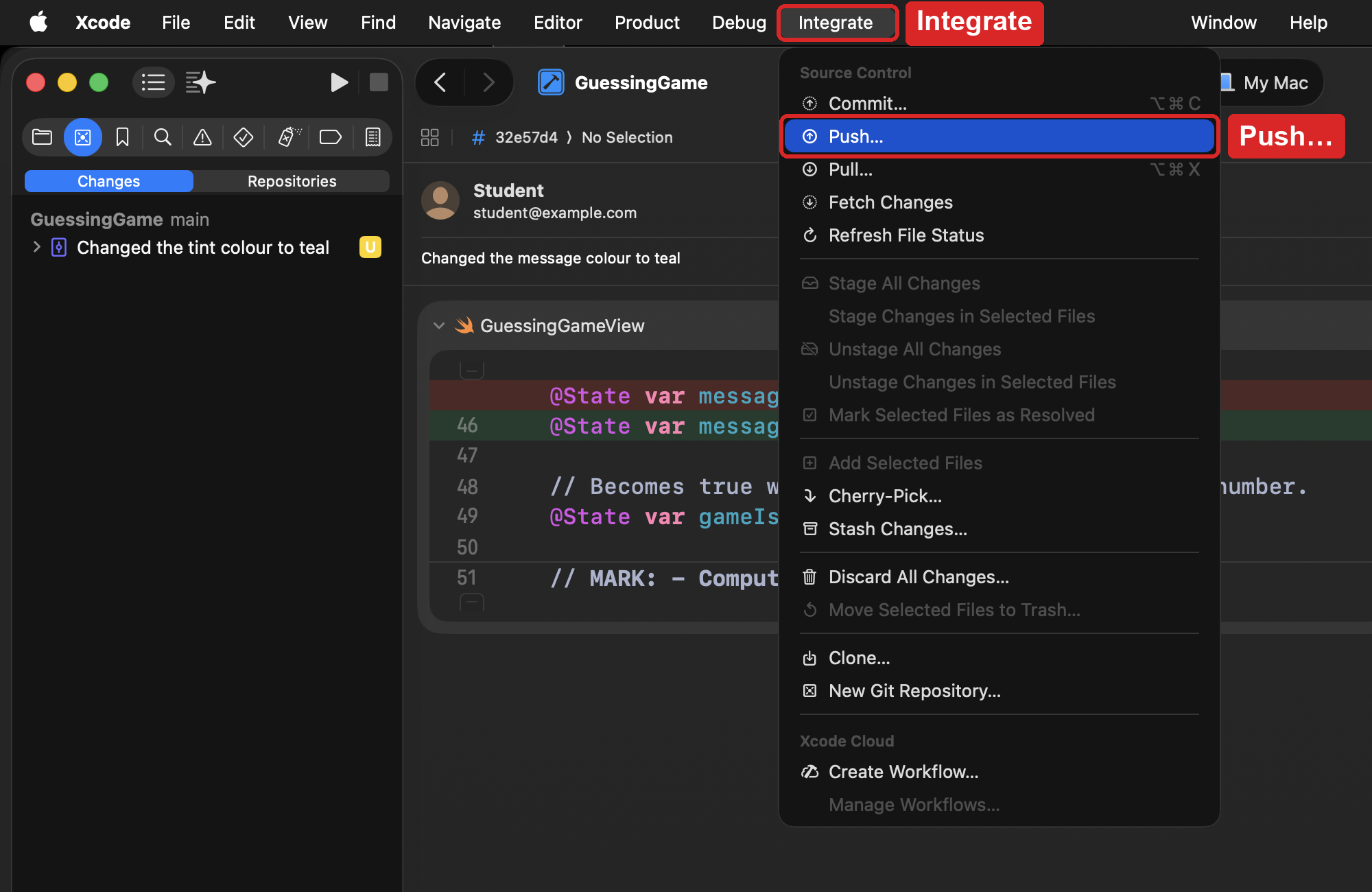
Then press Push:
Test of success
-
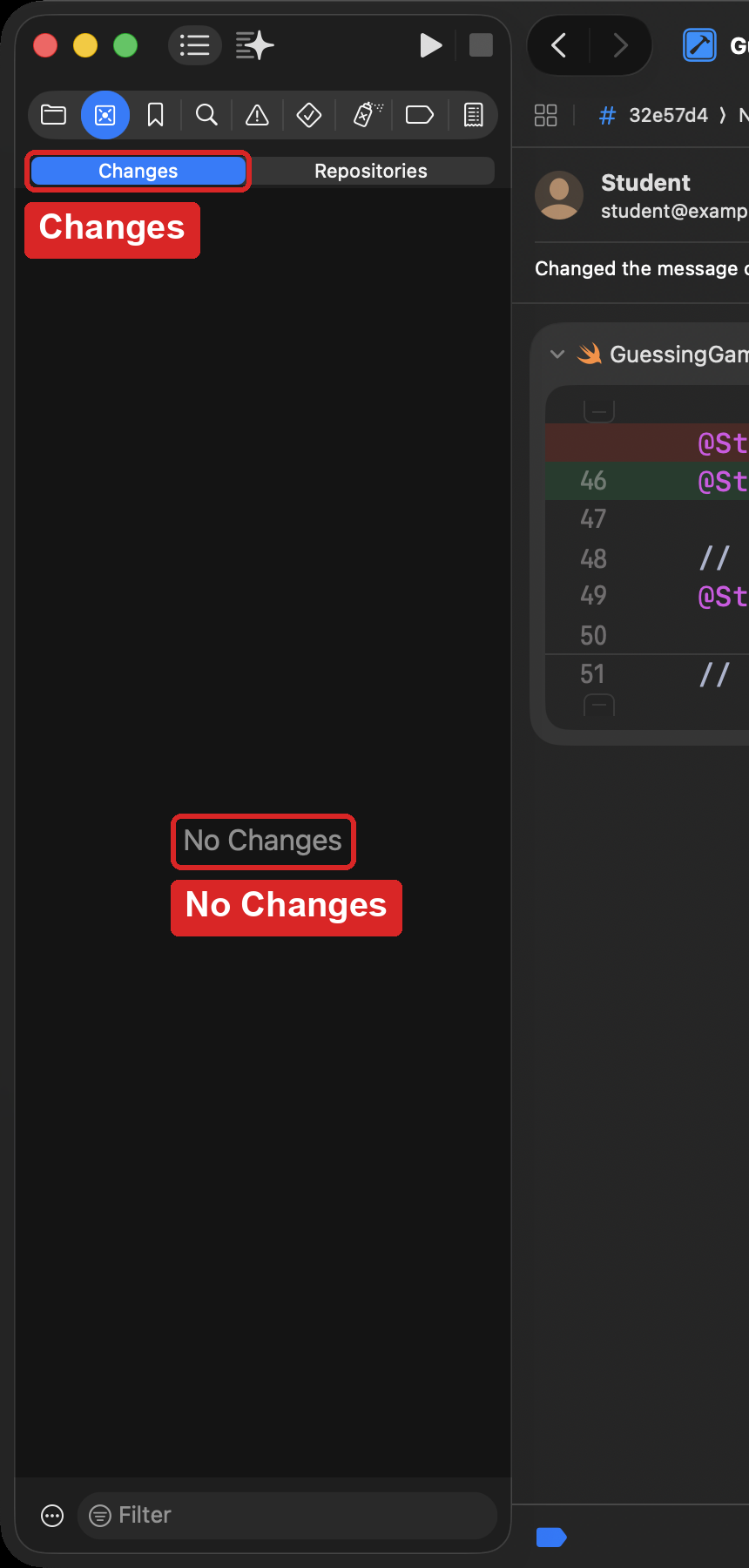
Press Command-2 to open the source control navigator, and choose Changes. It shows No Changes. That means every change is committed and pushed.
-
On GitHub, open your own repository for the game. Your commit message appears near the top of the page.
Curriculum connection
C2.3
use standard procedures to back up and archive user files.
Link to original