Last class you downloaded the Guessing Game and changed it. Right now it lives only on your laptop. Today you give it a history and a backup: your own repository on GitHub.
Before you start
You need a GitHub account, and Xcode must be connected to it, including the final setup video on that page.
Start keeping versions
-
Open your Guessing Game in Xcode.
-
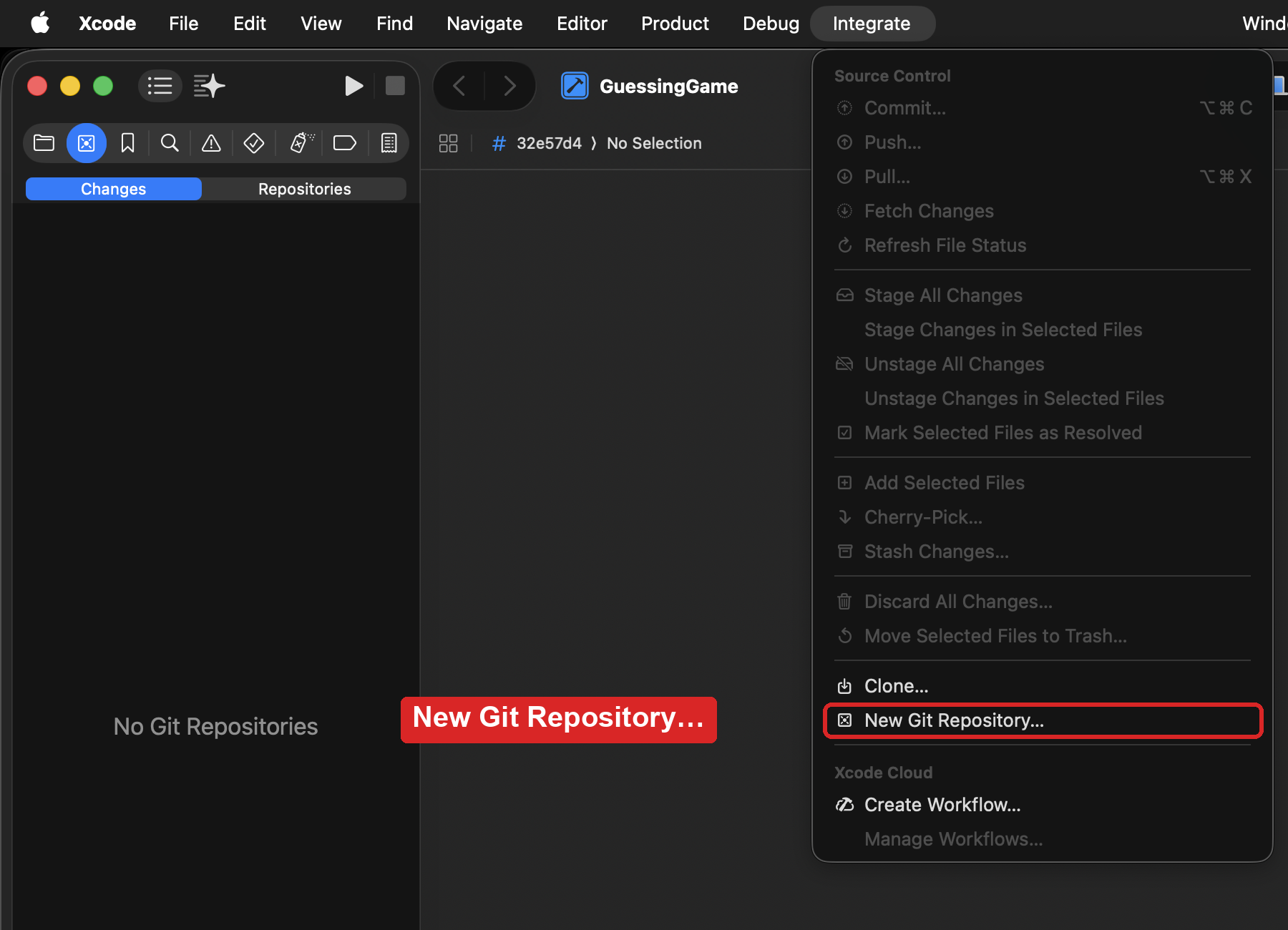
Choose Integrate > New Git Repository….
-
Make sure your project is ticked, and press Create.
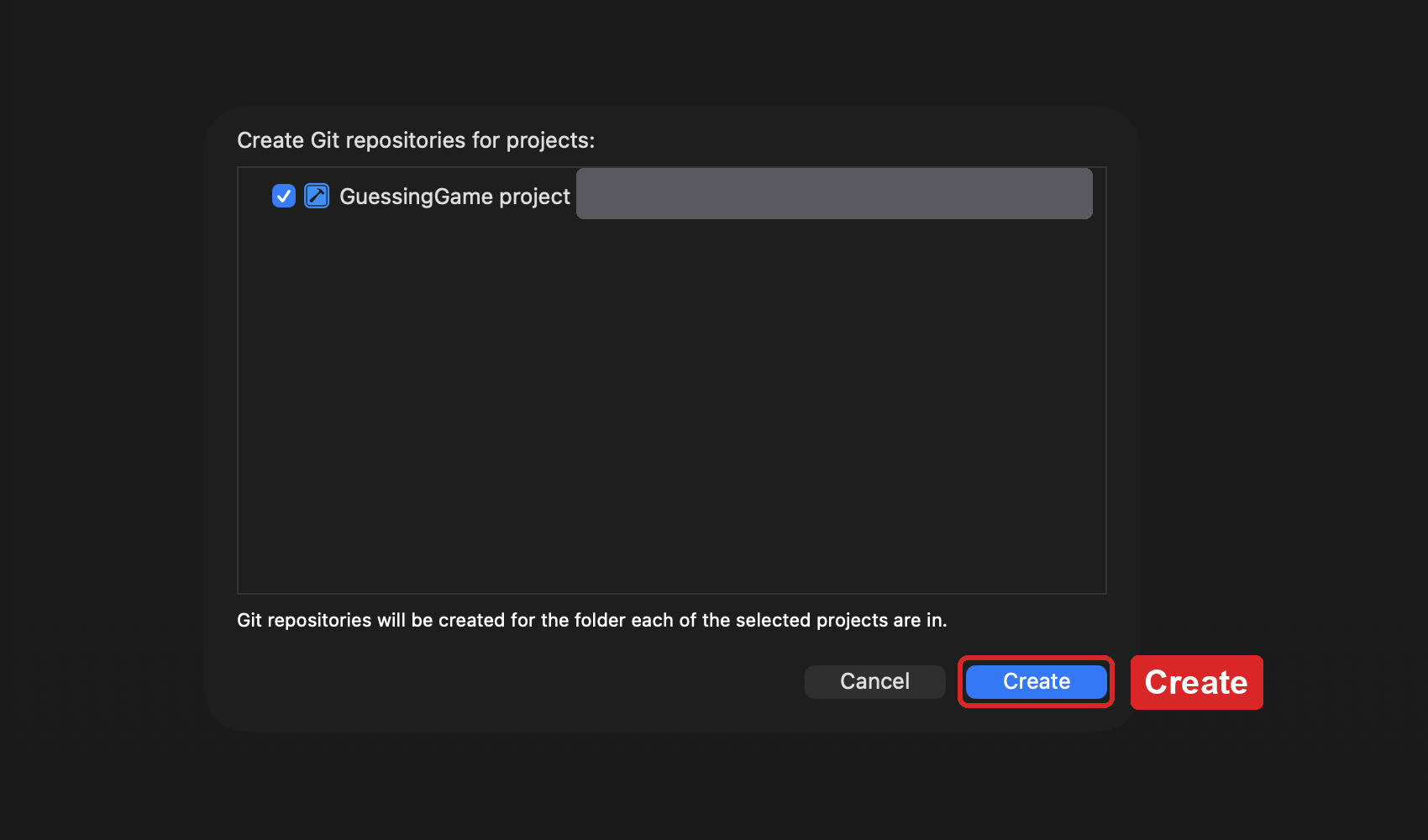
Xcode makes your local repository and saves your first version, called the Initial Commit. It includes the change you made last class.
Make your copy on GitHub
-
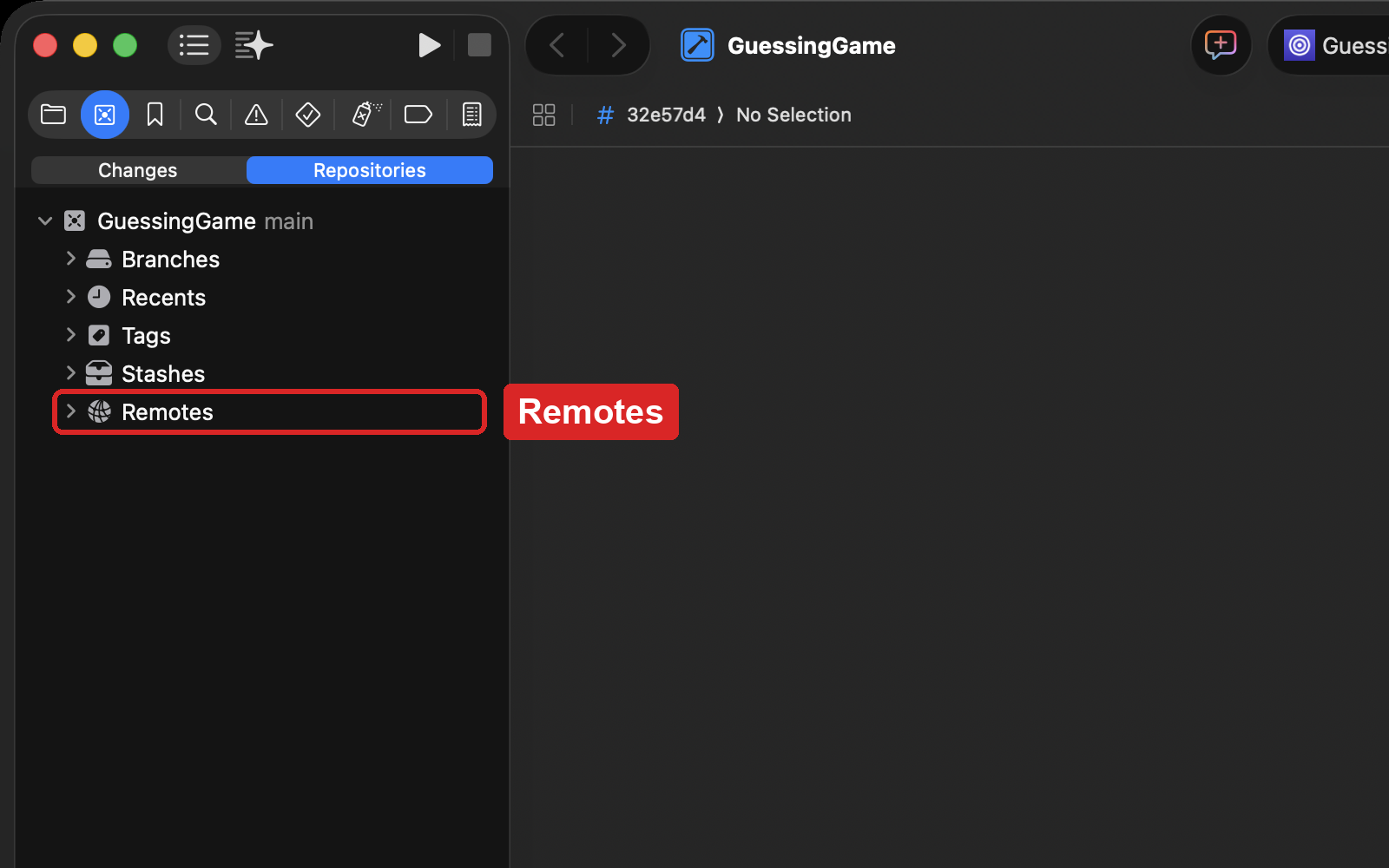
Press Command-2 to open the source control navigator, and choose Repositories.
-
Click the disclosure triangle beside GuessingGame, so you can see a folder named Remotes.
-
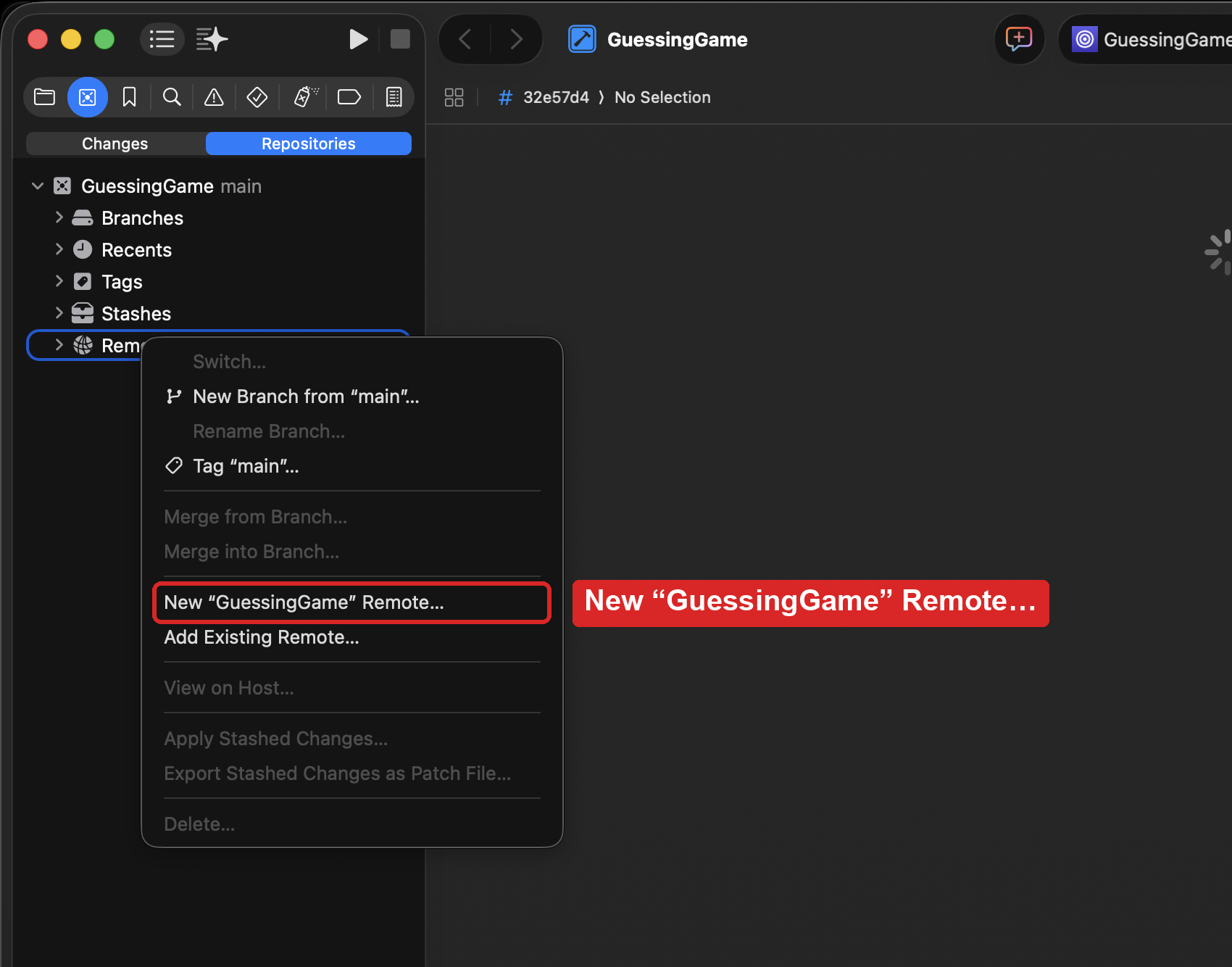
Control-click Remotes, and choose New “GuessingGame” Remote….
-
Check the choices in the box that appears:
- Account is your GitHub account, starting with
lcs-. - Repository Name is
GuessingGame. - Visibility is Public.
- Account is your GitHub account, starting with
-
Press Create. The box says Pushing… for a moment, then closes.
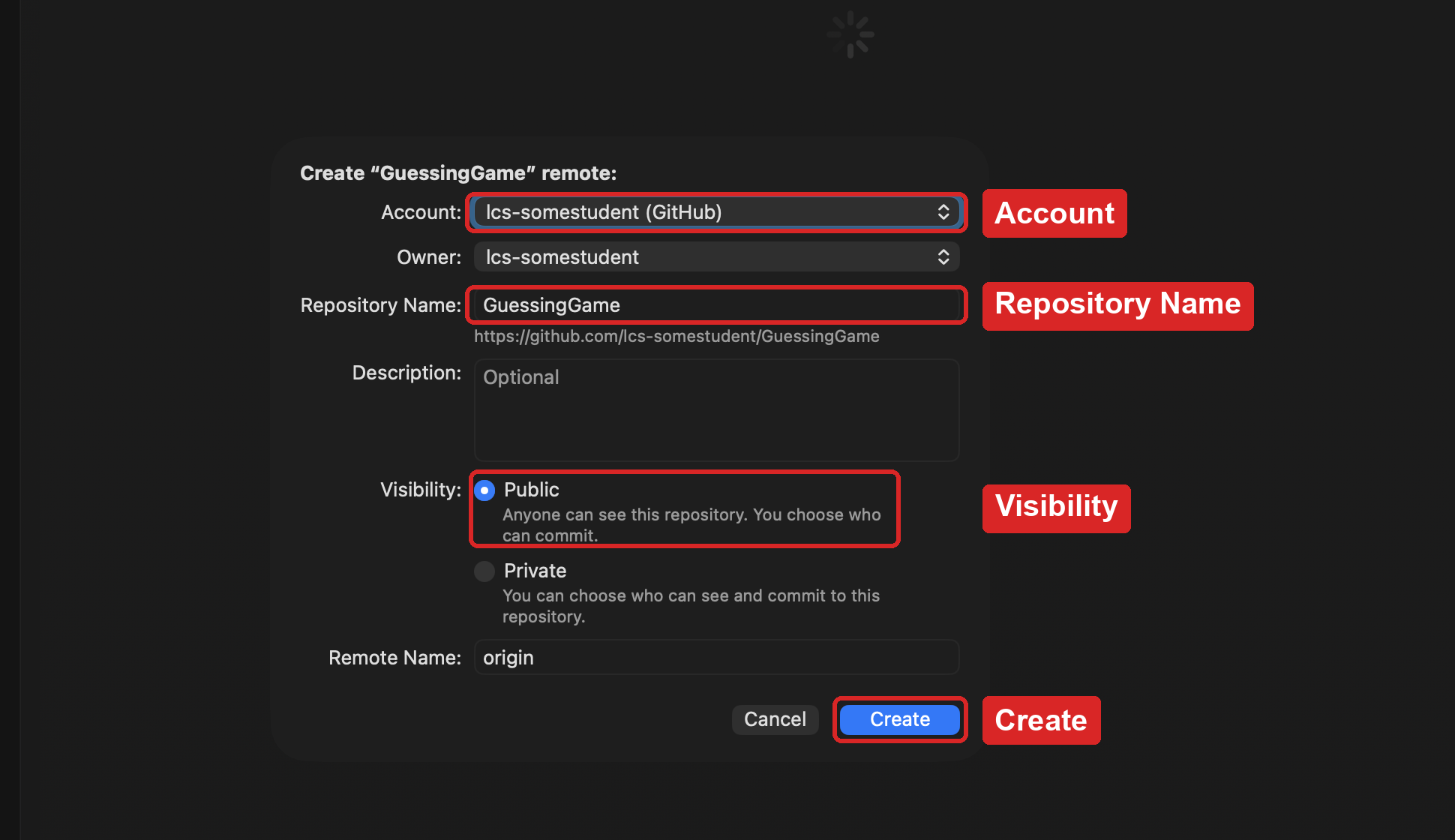
Xcode makes a remote repository on GitHub under your account, and sends your first commit to it.
Test of success
-
On GitHub, you can open your own GuessingGame repository. Your username, starting with
lcs-, is in front of its name, and you can see the game’s files.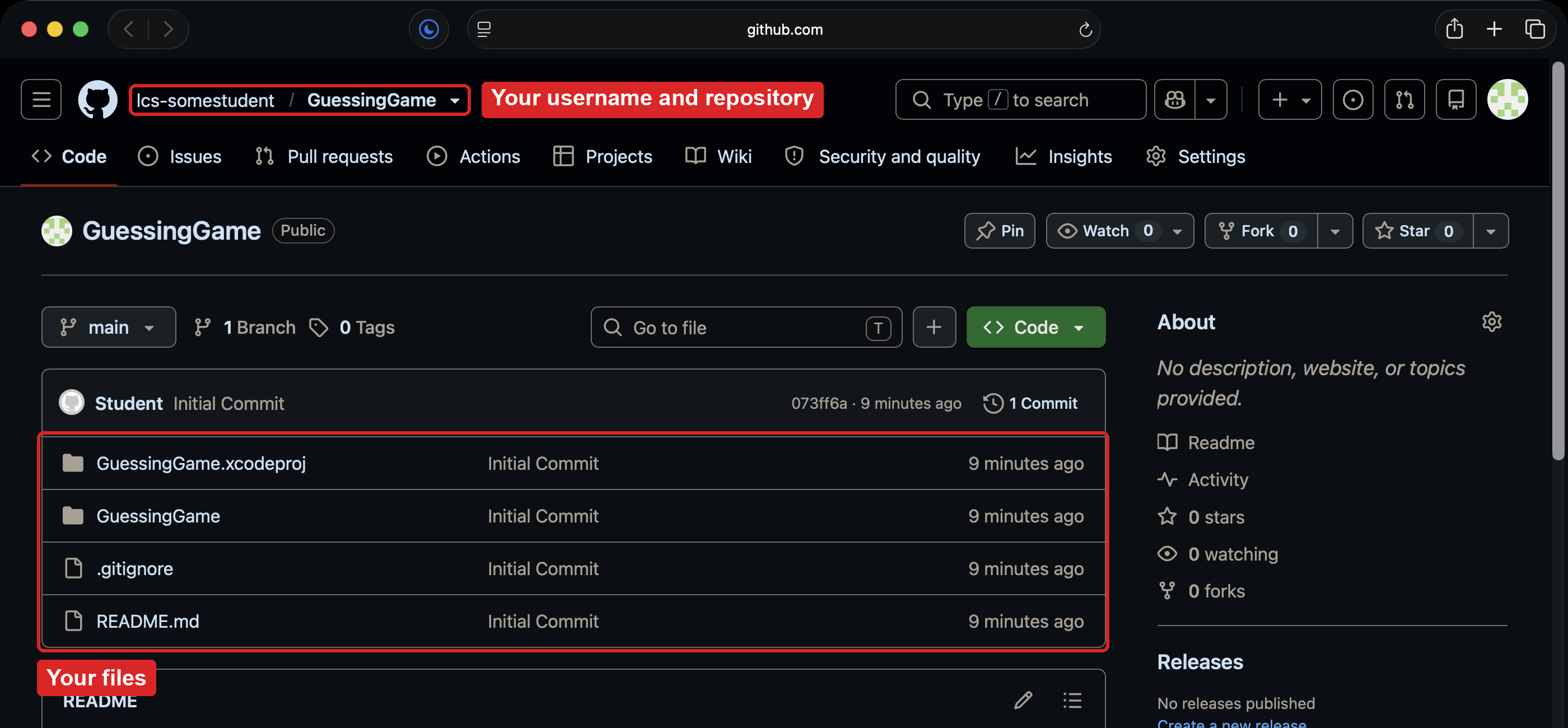
-
Press Command-2 and choose Changes. It shows No Changes.
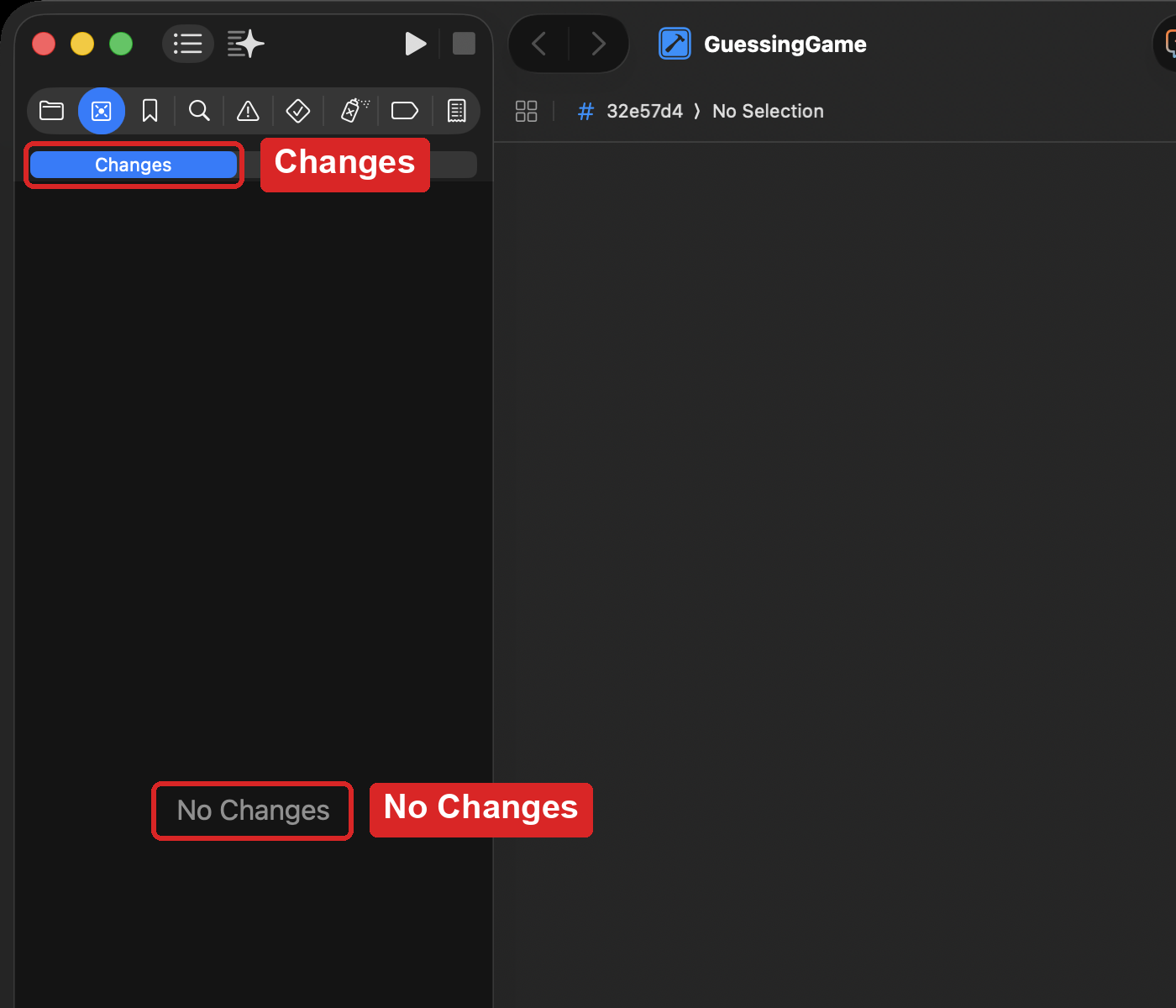
From now on, each time your game works and does something new, save it with Commit and Push.